Recl vs Glasp
Glasp is a web and PDF highlighter that also summarizes YouTube videos and lets you share what you highlight. Recl summarizes what you save from your phone or browser, reels and TikToks included, and brings each save's key points back after 1, 3, 7, 14, 30 and 60 days, plus a weekly quiz from what you saved. Choose Glasp for highlighting and exports, Recl for remembering.
Compiled from glasp.co, its pricing page and its YouTube summary page on 2026-11-11. Features and prices change — confirm current details at glasp.co/pricing. Checked November 2026.
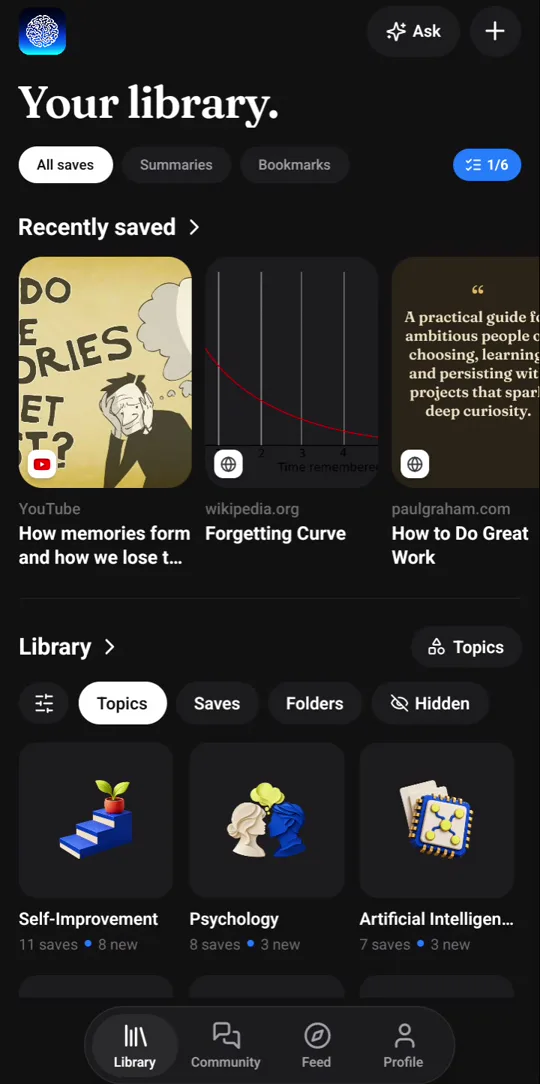
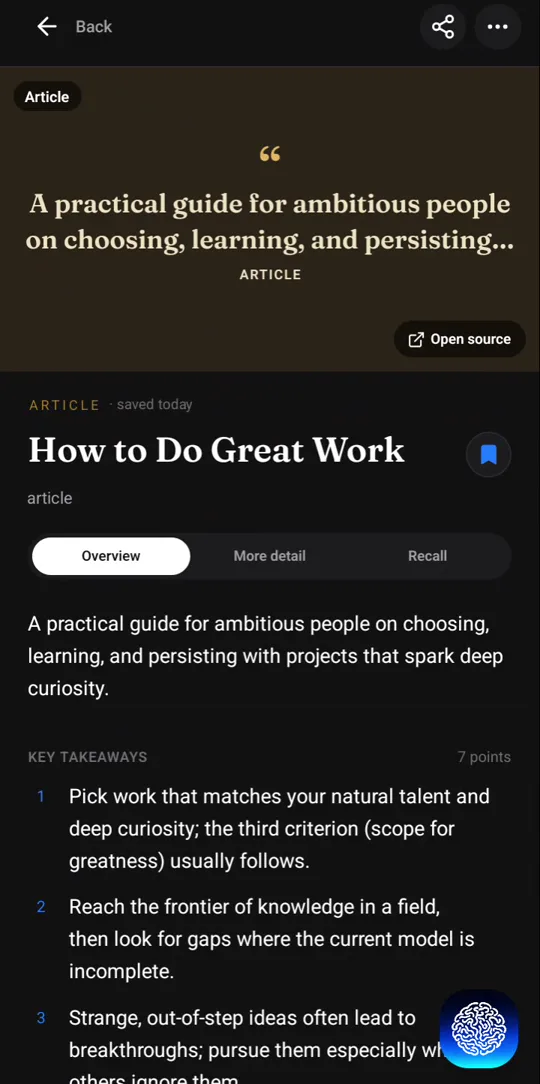
Recl vs Glasp, feature by feature
| Feature | Recl | Glasp |
|---|---|---|
| Core idea | Save from your phone or browser → AI summary → topics → spaced recall nudges | Highlight what matters on the web, then share and build on it |
| Highlighting | No highlighter; save selected text or a note instead | Web pages and PDFs, with notes; Kindle highlights import |
| What it summarizes | YouTube videos and playlists, Instagram reels, TikToks, X, Facebook and Reddit posts, articles, podcasts on YouTube | YouTube videos, web articles and PDFs; transcribes audio |
| Summaries | Written on every save, with timestamps for video, in your app's language | On request, with ChatGPT, Claude, Gemini or Mistral, in a language you pick |
| Reviewing later | Nudges bring each save's key points back after 1, 3, 7, 14, 30 and 60 days, plus a weekly quiz from your saves | No review or quiz feature described on its site |
| Asking questions | Ask your library or a single save; answers name the saves used | Chat with your highlights, and with pages, videos and PDFs |
| Sharing | A private library, with an optional public profile of your shelves | Public or private highlights; see what other readers highlight |
| Export and integrations | No export; an MCP server connects your library to ChatGPT, Claude and Cursor | Markdown, HTML, CSV and JSON export and Notion sync on every plan; Obsidian and more; API and MCP |
| Platforms | Web app, Android, iOS, Chrome extension, Edge extension | Chrome, Safari, Edge and Firefox extensions; iOS and Android apps |
| Free option | Free to try on iPhone, iPad and Android (3 saves and 5 Ask answers); a paid plan is needed on the web | Free plan with daily and monthly AI limits; paid Pro and Unlimited; Student plan |
Highlighting versus being brought back
Glasp starts with your attention while you read. You mark the sentences that matter on a web page or PDF, add notes, and those highlights collect in your library, where you can chat with them, export them or share them with other readers. Its YouTube summaries and transcripts extend the same idea to video.
Recl starts after you decide something is worth keeping. You share a video, reel, post or article to it, and it reads the whole thing, writes the key points (with timestamps for video), files it under topics and puts it on a review schedule. The work of remembering moves from you going back to your highlights to the app bringing the idea back to you.
A quick way to choose
If your learning happens in long articles, papers and books, and you like to mark them up, Glasp fits that habit. If it happens in videos and posts you watch on your phone and then forget, Recl is built for that. For more options, see Glasp alternatives.
Where Recl fits better
- Most of what you want to keep reaches you on your phone (reels, TikToks, X posts, YouTube) and you save it from the share sheet.
- You would rather have the whole video or post summarized than pick out passages yourself.
- You want each save's key points to come back to you after 1, 3, 7, 14, 30 and 60 days, plus a weekly quiz, instead of returning to your highlights by hand.
- You want saves sorted into topics for you, with a knowledge graph of how they connect on the web.
Where Glasp fits better
- You read on the web and in PDFs and want to mark exact passages, and bring in your Kindle highlights.
- You like reading in public: sharing highlights and seeing what other readers mark.
- You want exports (Markdown, CSV, JSON) and a Notion or Obsidian sync, free plan included.
- You browse in Safari or Firefox, or want an API.
Where Recl is weaker
- No highlighting of exact passages, and no Kindle import.
- No export. Glasp exports Markdown, HTML, CSV and JSON on every plan, the free one included.
- No PDFs.
- Extensions for Chrome and Edge only; Glasp also has Safari and Firefox.
- The review schedule is fixed (1, 3, 7, 14, 30 and 60 days) rather than personalized.
Frequently asked questions
- Is Recl a Glasp alternative?
- For remembering, yes; for highlighting, no. Glasp is a web and PDF highlighter with YouTube summaries, chat and exports. Recl does not highlight: it summarizes what you save, sorts it into topics, brings each save's key points back on a schedule and sends a weekly quiz from what you saved.
- Does Glasp have spaced repetition?
- Its site does not describe spaced repetition, review reminders or quizzes as of November 2026. In Recl they are the core of the product: each save's key points come back after 1, 3, 7, 14, 30 and 60 days, with a nudge each time, plus a weekly quiz from what you saved.
- Can I bring my Glasp highlights into Recl?
- Not in bulk: Recl has no importer. Glasp exports your highlights, so you keep them; then save the articles and videos you most want to remember to Recl by pasting the link on the web or sharing it from your phone.
- Can I use both?
- Yes. Some people highlight articles and PDFs in Glasp at their desk and save videos, reels and posts to Recl from their phone, so the things they want to remember come back on a schedule.
- Does Recl have a free plan?
- On iPhone, iPad and Android you can try Recl free with 3 full saves and 5 Ask answers, no card needed. On the web there is no free plan right now: saving needs a paid plan. Monthly and yearly plans both unlock every feature, and you can cancel anytime.
Read more
Related comparisons
Try Recl
Save one video today and see if you still remember it next month. Every plan unlocks every feature.