Recl vs NotebookLM (now Gemini Notebook)
NotebookLM — renamed Gemini Notebook in July 2026 — is Google’s AI research notebook: add sources to a notebook and it answers with inline citations, and makes Audio Overviews, flashcards and quizzes. Recl is one library for everything you save, with summaries, automatic topics and recall nudges that keep bringing ideas back for weeks.
Compiled from Google's public pages for Gemini Notebook on 2026-10-22. Features and prices change — confirm current details at notebook.google.
Recl vs NotebookLM, feature by feature
| Feature | Recl | NotebookLM |
|---|---|---|
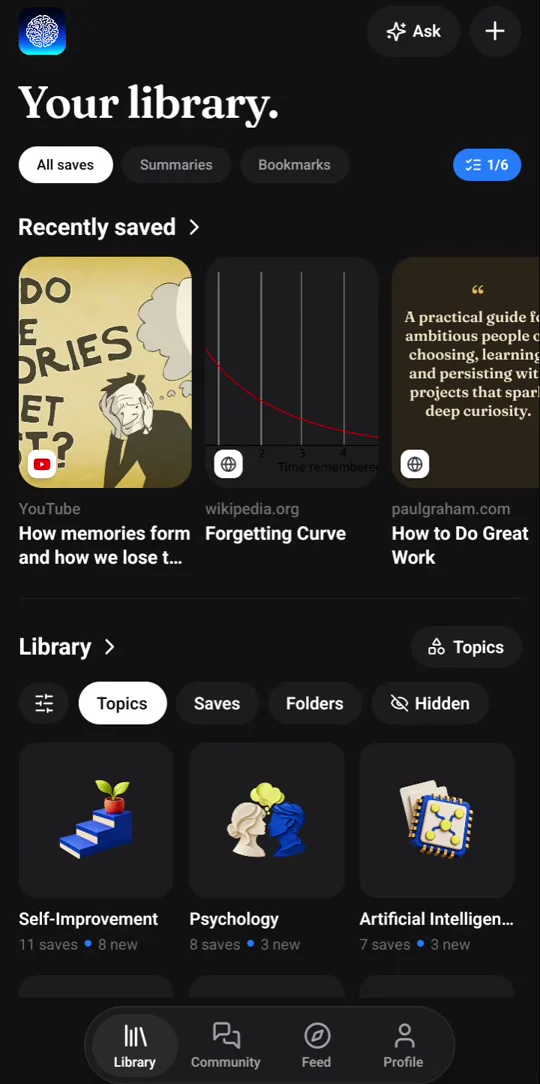
| How it is organized | One library; every save sorted into topics automatically | Separate notebooks, typically one per project or subject |
| Getting content in | Phone share sheet, Chrome extension, or paste a link | Add PDFs, websites, YouTube videos, Google Docs, Slides and more |
| Instagram, TikTok and X posts | Yes — share them straight from the app | Not listed as a source type |
| Answers with citations | Ask your library; answers name the saves they used | Inline citations that link to the passage in your source |
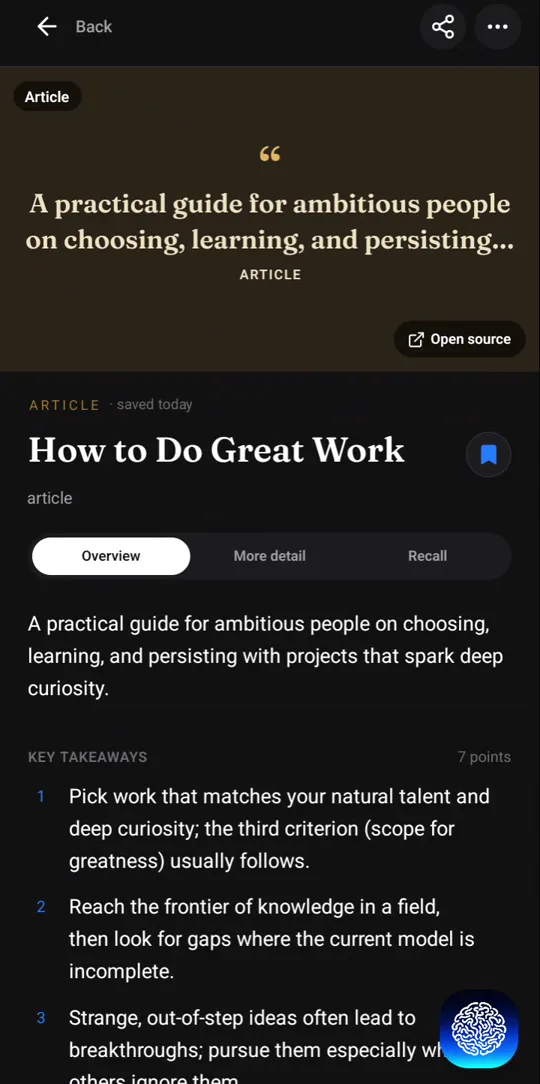
| Summaries | Automatic on every save, with timestamps for video | Study guides and mind maps, on request |
| Flashcards and quizzes | Quiz questions written for every save | Flashcards and practice quizzes, generated on request |
| Reminders to review over time | Push nudges, with gaps of 1, 3, 7, 14, 30 and 60 days | Not a stated feature |
| Listen or watch | Not offered | Audio Overviews with two AI hosts, and Video Overviews |
| Connections | A knowledge graph across your whole library (web) | Mind maps within a notebook |
| Price | No free plan; every plan has every feature | Free, with higher limits on Google AI plans |
| Apps | Web app, Android, iOS, Chrome extension | Web, Android and iOS |
A notebook per project, or one library for everything
NotebookLM works like a research desk. You gather the sources for one question — a course module, a report, a stack of papers — into a notebook, then interrogate them: ask questions, get cited answers, and turn them into a study guide or a podcast-style Audio Overview. When the project is finished, so is most of the notebook’s job.
Recl works like a memory. Everything you save goes into one library — the video from this morning, the thread from last month — and is sorted by topic as it arrives. Nothing is organized per project, because the point is not to answer one question today; it is to still know what you saved six weeks from now.
Pull versus push
NotebookLM waits for you to come back with a question. Recl comes back to you: each save becomes quiz questions, and nudges arrive with the gap between them growing through 1, 3, 7, 14, 30 and 60 days. NotebookLM can make flashcards and quizzes too; the difference is the schedule that brings them back without you having to remember to ask.
Using both
They pair well. Research a topic in NotebookLM with all the sources in front of you, then save the handful of videos and articles you want to keep to Recl, so their key ideas come back long after the notebook is closed.
Where Recl fits better
- You want one place for everything you save, sorted for you, rather than a notebook per project.
- A lot of what you learn comes from Instagram, TikTok, X and YouTube on your phone.
- You want reminders that bring ideas back over weeks without you having to ask.
- You want answers drawn only from what you chose to save, across your whole library.
Where NotebookLM fits better
- You are researching a defined set of documents — a course module, a report, a stack of papers.
- You want to listen: Audio Overviews turn your sources into a podcast-style discussion.
- You want a free tool, or you already keep your material in Google Docs, Slides and Drive.
- You want study guides, mind maps or slide decks generated from your sources.
Frequently asked questions
- Is NotebookLM now called Gemini Notebook?
- Yes. Google renamed NotebookLM to Gemini Notebook in July 2026. It is still a standalone app, now at notebook.google. This page uses both names because many people still search for NotebookLM.
- Does NotebookLM have spaced repetition?
- It can generate flashcards and practice quizzes from your sources when you ask. Reminders that bring material back on a schedule over the following weeks are not a stated feature. In Recl, that schedule is the core of the product.
- Can Recl answer questions about my saves the way NotebookLM does?
- Yes. Ask your library a question and Recl answers only from your own saves, naming the ones it used. If nothing you saved covers it, Recl says so rather than answering from the open web. You can also ask about a single save.
- Does NotebookLM cost anything?
- NotebookLM has a free tier with daily and per-notebook limits, and Google's paid AI plans raise those limits.
- Does Recl have a free plan?
- Not right now. Recl is a paid app — monthly and yearly plans both unlock every feature, and you can cancel anytime.
Read more
Try Recl
Save one video today and see if you still remember it next month. Every plan unlocks every feature.