Recl vs Anki
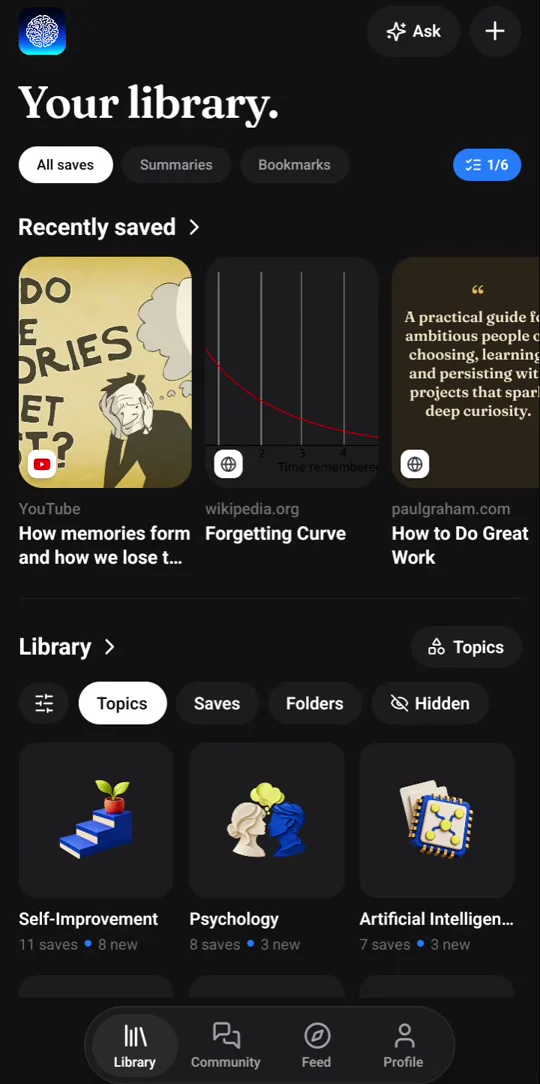
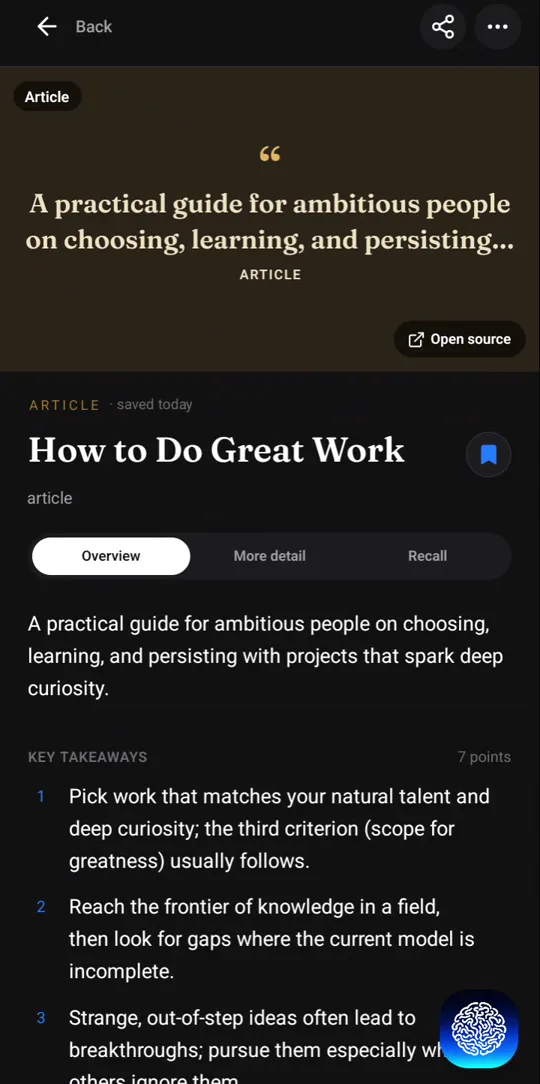
Anki is an open-source flashcard app, free on desktop and Android: you write or download cards, grade yourself on every review, and its scheduler picks the next date. Recl starts from something you saved — a video, article, podcast or PDF. It writes the summary and the quiz questions for you, then brings them back at growing intervals.
Compiled from Anki's public site and manual on 2026-10-22. Features and prices change — confirm current details at apps.ankiweb.net.
Recl vs Anki, feature by feature
| Feature | Recl | Anki |
|---|---|---|
| Starting point | Something you saved: a video, article, podcast, PDF or post | Flashcards you write, import, or download as shared decks |
| Who writes the questions | Recl, from the source you saved | You, or whoever made the deck |
| Summary of the source | Key points, with timestamps for video | Not built in — Anki stores cards, not sources |
| Scheduling | Fixed, expanding gaps: 1, 3, 7, 14, 30 and 60 days, then the item graduates | Adaptive: you grade each answer (Again, Hard, Good, Easy); SM-2-based by default, FSRS optional |
| Setup and tuning | None — one tap marks a review done | Deep: note types, card templates, deck options |
| Best at | Ideas and arguments from long-form content | Large decks of exact facts — it handles 100,000+ cards |
| Where reviews happen | A push notification, or the web dashboard's due-now panel | You open Anki and study the cards that are due |
| Extras | Topics, knowledge graph (web), Ask your library | A large add-on ecosystem and shared decks |
| Platforms | Web app, Android, iOS, Chrome extension | Windows, macOS, Linux; AnkiDroid on Android; AnkiMobile on iPhone |
| Price | No free plan; every plan has every feature | Free on desktop and Android, with free AnkiWeb sync; the iPhone app is paid |
| Open source | No | Yes |
Writing the cards is the work — and part of the benefit
Anki asks you to turn what you learn into cards. That takes time, and it is also part of why Anki works: deciding what is worth asking, and phrasing it in your own words, is a strong study technique in its own right — psychologists call it the generation effect (Slamecka & Graf, 1978). If you have the time to write good cards for something, Anki will usually teach you that material more precisely than any tool that writes the cards for you.
Recl is aimed at the material you would never write cards for: the hour-long podcast, the lecture you watched at double speed, the thread you saved at midnight. It reads the whole thing, writes the summary and the questions, and schedules them — so ideas you would otherwise have lost get a second, third and fourth pass.
Two different schedulers
Anki’s scheduler is adaptive. After each card you choose Again, Hard, Good or Easy, and the next interval for that card is worked out from your answer — by default with an SM-2-based algorithm, or with FSRS if you switch it on. Large decks get very efficient this way, at the cost of grading every card.
Recl’s schedule is fixed. Each save’s reviews are spaced 1, 3, 7, 14, 30 and 60 days apart, you tap Reviewed when one arrives, and after the last step the item graduates. Quiz questions you get wrong stay in rotation until you get them right. It is less precise than Anki, and it asks nothing of you beyond answering.
Using both
They are not mutually exclusive. A workable split: let Recl catch and digest the long-form things you watch and read, and when an idea turns out to deserve exact, long-term memorization — a definition, a formula, a word — write an Anki card for it from Recl’s key points. Recl does not export to Anki today, so that step is copy and paste.
Where Recl fits better
- Most of what you learn comes from videos, podcasts and articles, and you never get round to writing cards for it.
- You want the gist and the key points of a source, not only isolated facts.
- You want reviews to come to you as a push notification, with nothing to configure.
- You save from your phone and want the summary and questions ready when you open the app.
Where Anki fits better
- You need to memorize thousands of exact facts, in decks that can run past 100,000 cards.
- You want full control over how cards look and how reviews are scheduled.
- You want a free, open-source desktop app.
- You want ready-made shared decks or add-ons for your subject.
Frequently asked questions
- Is Recl an Anki alternative?
- For some jobs. If you use Anki to remember what you watch and read, Recl does that with far less effort, because it writes the questions for you. If you use Anki to memorize large sets of exact facts, Anki remains the better tool: Recl has no deck import, no card templates and no self-grading.
- Does Recl use the same scheduling algorithm as Anki?
- No. Anki adapts each card's next review to how you grade your answer, using an SM-2-based scheduler or, optionally, FSRS. Recl uses a fixed ladder: the gap between reviews grows through 1, 3, 7, 14, 30 and 60 days, you mark each review done with one tap, and quiz questions you get wrong stay in rotation.
- Can I export Recl's quiz questions to Anki?
- Not today. If a point deserves an exact, long-term card, copy it from the Recl summary into Anki by hand.
- Is Anki free?
- Anki's desktop app and AnkiDroid for Android are free, and so is AnkiWeb sync. AnkiMobile, the official iPhone app, is paid, and its sales help fund Anki's development.
- Does Recl have a free plan?
- Not right now. Recl is a paid app — monthly and yearly plans both unlock every feature, and you can cancel anytime.
Read more
Try Recl
Save one video today and see if you still remember it next month. Every plan unlocks every feature.